

Introduction
Auth0 is an OIDC-compatible identity provider. TIB connects to Auth0 usingSocialProvider with the openid-connect provider type.
Before configuring your IdP and TIB profile, read Dashboard SSO or Portal SSO to understand the ActionType, ReturnURL, and IdentityHandlerConfig fields required for your use case.
This page covers the Auth0-specific configuration only.
Configure Auth0
- Log in to the Auth0 Dashboard and navigate to Applications > Applications.
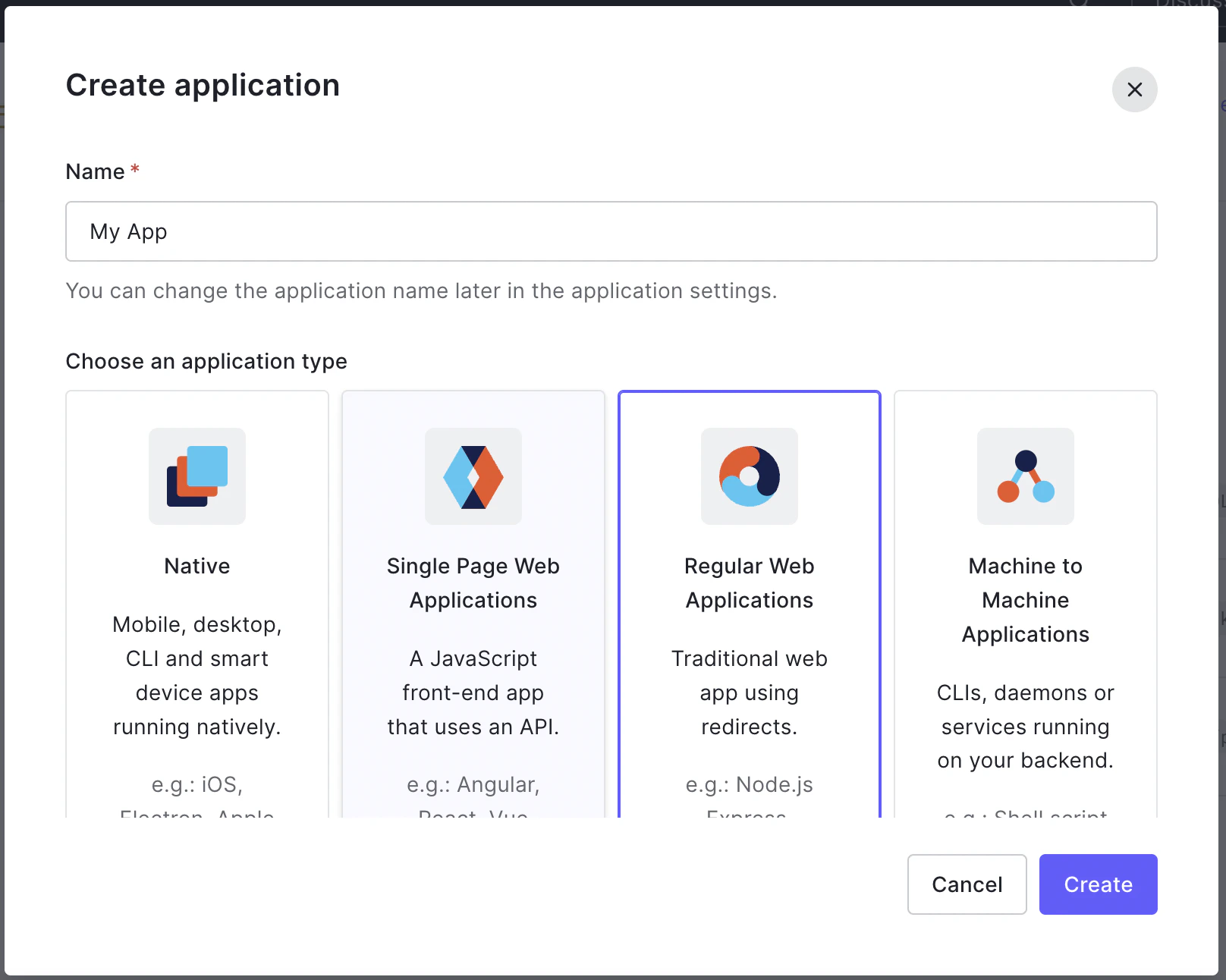
- Click Create Application, give it a name, select Regular Web Application, and click Create.
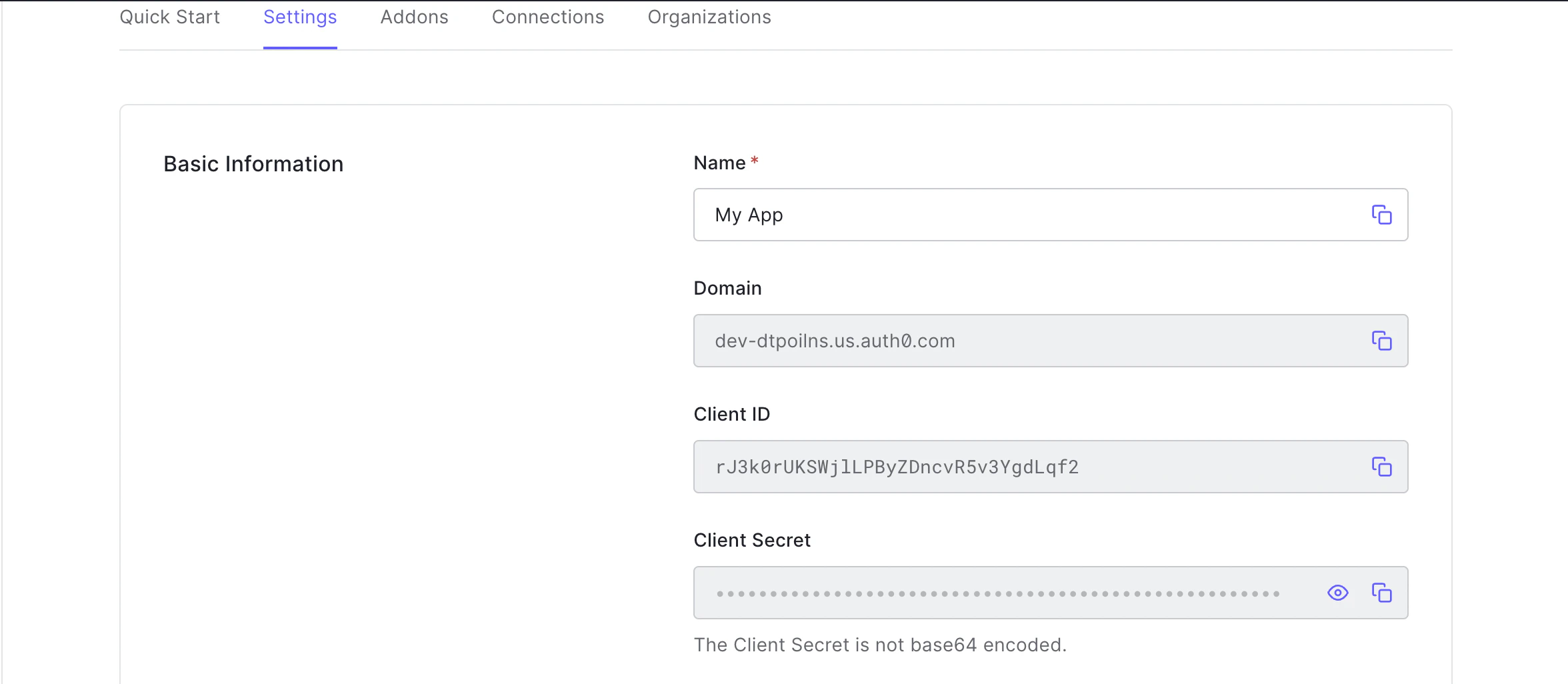
- From the application’s Settings tab, note the Domain, Client ID, and Client Secret. You will need all three for the TIB profile.
- In the Allowed Callback URLs field, add the TIB callback URL:
Replace
{tib-host}with the hostname of your TIB instance and{profile-id}with the ID you will assign to the TIB profile. - Click Save Changes.
{auth0-domain} is the Domain value from your Auth0 application settings (for example, your-tenant.auth0.com).
TIB Profile
The Auth0-specific configuration goes in theProviderConfig block of the TIB profile. Set ProviderName to SocialProvider and Type to redirect.
ProviderConfig fields are:
| Field | Description |
|---|---|
CallbackBaseURL | The base URL of your TIB instance. TIB appends the callback path automatically. |
FailureRedirect | URL to redirect the user to on authentication failure. |
UseProviders.Name | Must be openid-connect. This value routes TIB to the OpenID Connect provider implementation. |
UseProviders.Key | The Auth0 Client ID. |
UseProviders.Secret | The Auth0 Client Secret. |
UseProviders.Scopes | OAuth scopes to request. openid and email are required. |
UseProviders.DiscoverURL | The Auth0 OIDC discovery URL for your tenant. |
JSON Web Encryption (JWE)
If Auth0 is configured to encrypt ID tokens, TIB can decrypt them using JWE. Add aJWE block to ProviderConfig to enable this:
PrivateKeyLocation to the certificate ID from the Tyk Dashboard certificate manager. For standalone TIB, set it to the file path of a PEM file containing the private key. The key must correspond to the public key registered with Auth0 for token encryption.
Requires Tyk Identity Broker v1.6.1+ and Tyk Dashboard v5.7.0+.
Worked Examples
These examples use embedded TIB, so theCallbackBaseURL is the same as the Dashboard or Portal respectively; TIB handles requests on the same host and port.
- Dashboard SSO
- Portal SSO
In this example, Tyk Dashboard is running at With this configuration, registered users (with a Tyk Dashboard user account) get their own permissions; unregistered users fall back to the group specified in Login URLThis URL initiates the SSO login flow:In production, present this as a “Log in with Auth0” button or link on a custom login page, rather than expecting users to navigate to it directly.See Dashboard SSO for details on session behavior, permissions, and user group mapping.
http://dashboard.example.com on port 3000; replace the example values with your own.Tyk Dashboard configurationsso_default_group_id. See Dashboard SSO for full details.TIB profileThe TIB profile is created via the Tyk Identity Broker API or the Tyk Dashboard UI.- set
Keyto the Auth0 Client ID - set
Secretto the Auth0 Client Secret - set
DashboardCredentialto the TIB service account’s Dashboard credentials
ID in the registered URL must exactly match the ID in your TIB profile; a mismatch will result in a 400 Bad Request error: